How to Set Up a Telegram Business Account in 2026 (Step by Step)
- telegram business account
- setup
- how-to
- 2026
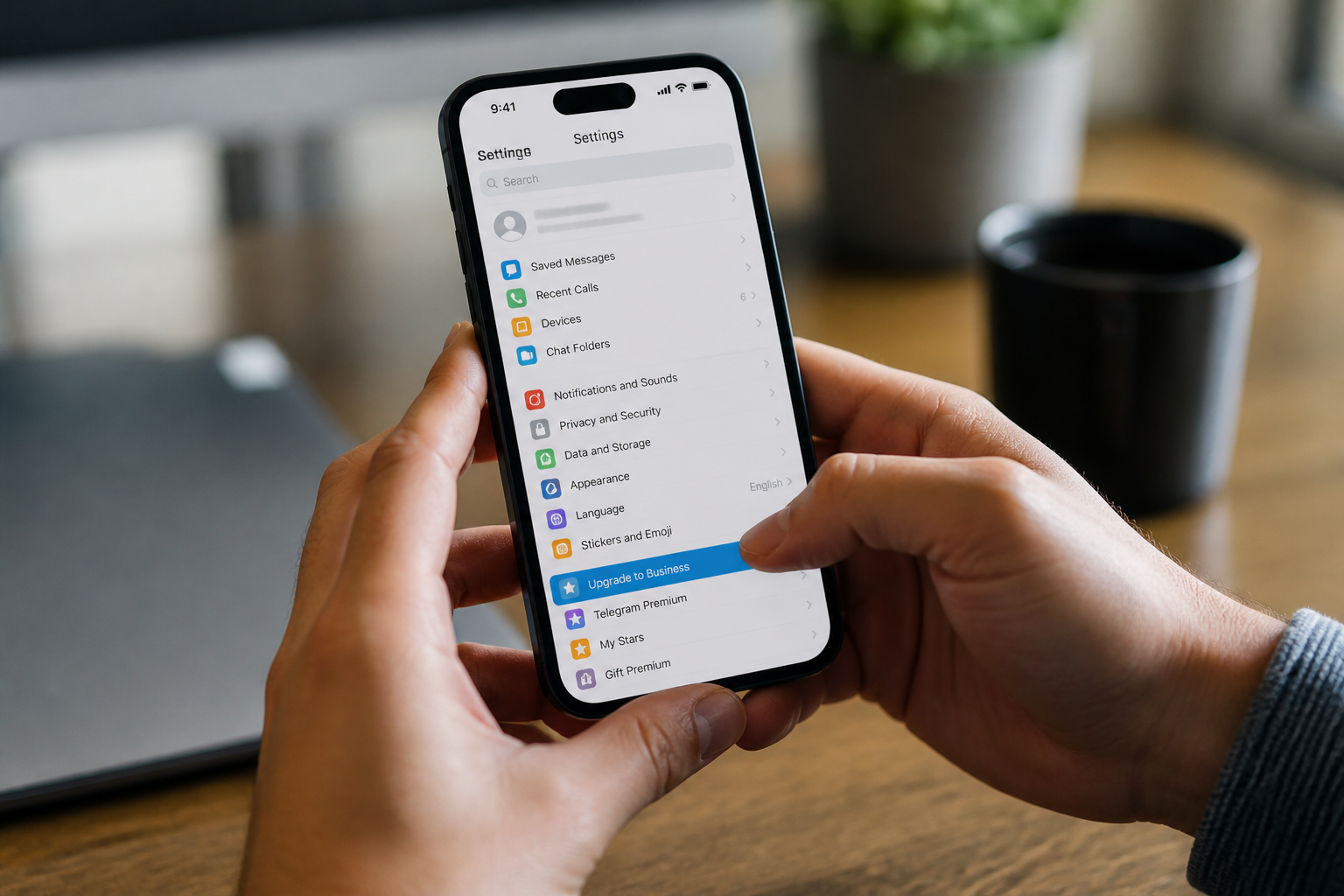
Creating a telegram business account in 2026 requires upgrading your personal profile to Business mode via the settings menu. You can then configure automated greetings, away messages, and custom business hours. This setup allows you to integrate chatbots and Telegram Stars for transactions, turning your profile into a professional storefront.
How do I enable the telegram business account features on my profile?
The first step in modernizing your presence on the platform is recognizing that the telegram business account is not a separate app. Unlike other messaging platforms that force you to download a secondary application, Telegram integrates professional tools directly into the standard interface. To begin, open your settings and locate the Telegram Business section. This area serves as the command center for your professional identity.
Once you enter the Business settings, the first action is to define your niche. In 2026, the platform uses these tags to help users find services through Global Search. You will need to select a category that most accurately describes your work. After selecting your category, you can start customizing your public profile. This includes your location, which can now be pinned on an interactive map, and your hours of operation. Setting your hours is vital because it triggers your automated responses during your downtime.
A major advantage of this setup is the ability to use a business intro. This is a specialized greeting that appears to new customers even before they send their first message. It acts as a digital welcome mat. I always recommend that my clients use this space to highlight their primary value proposition. For example, if you run a consultancy, your intro might state that you offer 15 minute discovery calls every Tuesday. This sets expectations immediately and professionally.
What are the best practices for setting up business hours and location?
Displaying your physical or digital presence clearly is a requirement for building trust. When you configure your hours within your telegram business account, you provide a signal to your customers about when they can expect a human response. This reduces the friction of uncertainty. If you operate globally, I suggest setting your hours in UTC to avoid confusion, or simply stating your local time zone in your bio.
The location feature is equally powerful. By adding a specific address, you allow the app to show your business to nearby users in the People Nearby section. This is a significant discovery tool for local shops, cafes, or service providers. Even if you operate entirely online, you can set a general region to help the algorithm categorize your account. This data helps the platform suggest your account to users who have shown interest in similar services within your geographic area.
Below is a quick reference table showing the main features you should configure during your initial setup phase:
| Feature Name | Primary Function | Setup Priority |
|---|---|---|
| Business Hours | Automates away messages based on your clock. | High |
| Greeting Message | Sends an instant reply to new customers. | High |
| Quick Replies | Templates for frequently asked questions. | Medium |
| Location Pin | Shows your physical office or shop on a map. | Medium |
| Away Message | Informs users you are currently unavailable. | High |
How do I automate my workflow with greetings and quick replies?
Automation is the core of any successful digital operation. When learning how to set up telegram for business, you must master the Greeting and Away messages. A Greeting message is sent to anyone who contacts you for the first time or after 14 days of inactivity. This is your chance to provide a link to your price list or a list of services. I recommend keeping this message under 200 characters to ensure it is readable on mobile screens without scrolling.
Quick Replies are another essential tool. These are short commands, usually starting with a forward slash, that expand into full messages with images or files. For instance, you could create a command like /prices that instantly sends your latest rate card to a user. This saves hours of manual typing every week. In my experience, businesses that use at least ten distinct quick replies see a 40 percent increase in response speed, which directly correlates to higher conversion rates among new leads.
Away messages should be configured to activate automatically when you are outside of your specified business hours. You can customize who receives these messages. For example, you might want to exclude your existing contacts so your friends and family do not get an automated response when they text you at night. This granular control is what makes the telegram business account superior to traditional messaging setups.
Can I integrate a chatbot into my telegram business account?
Yes, and you should. By 2026, the integration process for chatbots has become exceptionally simple. You can connect a bot created via BotFather directly to your personal business profile. This bot can act as an assistant, handling complex queries or even processing orders while you sleep. The bot can be programmed to recognize specific keywords and trigger workflows, such as booking an appointment or looking up a shipping status.
One of the most effective ways to use a bot is for initial lead qualification. Instead of greeting every user manually, the bot can ask three or four basic questions to determine their needs. Once the bot has gathered this information, it can pass the conversation to you. This ensures that when you finally step in, you have all the context you need to close a deal. For a deeper look at these strategies, check out our telegram for business complete guide 2026.
Integrating a bot also allows you to handle Telegram Stars transactions. This is the official way to accept payments for digital goods and services within the app. By setting up your bot to generate invoices, you can sell courses, subscriptions, or digital downloads directly in the chat interface. This keeps the user within the ecosystem, which significantly reduces the drop off rate during the checkout process.
How do channels and groups work with a business account?
While your business profile handles one on one communication, channels and groups are your tools for scaling. A Telegram Channel is a one to many broadcasting tool. You can use it to post updates, share testimonials, or announce new product launches. In 2026, channels have advanced analytics that show you exactly how many people viewed your posts and how many shared them with others. This data is critical for refining your content strategy.
Groups, on the other hand, are for community building. A Telegram Group allows for two way communication between you and your customers. This is an excellent place for hosting a support community or a VIP insider club. You can link your channel to a group so that every post in the channel automatically creates a discussion thread in the group. This encourages engagement and helps you build a loyal following. You can find more about these structures in our guide to telegram for business systems.
To maximize efficiency, I suggest using the business account as the primary point of contact and directing those users to your channel for long term updates. This funneling strategy ensures that you capture every lead in a private chat first, then move them into your broader community. It is a proven method for maintaining high retention rates in the competitive 2026 digital market.
What are the technical requirements for Telegram Stars payments?
Payment processing via Telegram Stars is the standard for 2026. To use this system, you must have a bot connected to your account. This bot acts as the merchant of record. When a user buys something from you using Telegram Stars, the credits are accumulated in your bot's balance. You can then withdraw these credits or use them to pay for advertisements within the Telegram platform.
The setup for Telegram Stars requires no external registration. You simply define the price of your item in Stars, and the platform handles the currency conversion and the security of the transaction. This is particularly useful for international businesses that struggle with traditional banking barriers. Because Stars are a native platform currency, they work everywhere in the world with no regional restrictions. I have seen businesses in remote areas triple their revenue by switching to a Telegram Stars based model, as it opens up a global customer base instantly.
Frequently asked questions
Is a telegram business account free to use?
Most business features are part of the Premium subscription. While you can use basic features for free, the advanced automation tools like quick replies, business hours, and greeting messages require a monthly or yearly paid plan. This fee supports the privacy infrastructure that makes the platform so reliable for professional use.
Can I have multiple business accounts on one device?
Telegram allows you to log into up to three different accounts on a single application. If you have separate phone numbers for different brand departments, you can manage all of them from one phone or desktop app. Each account must be upgraded to a business profile individually to use the professional tools.
How do I hide my personal phone number from customers?
Privacy is a key feature of the platform. You can go to the Privacy and Security settings and set your phone number visibility to "Nobody." Customers will only see your username and business profile details. This is the best way to maintain a professional boundary between your personal life and your work communications.
What is the limit for quick replies in a business account?
As of 2026, the account allows you to store up to 100 quick replies. These can include text, media, and file attachments. This limit is usually more than enough for even the most complex customer service operations. If you need more, I suggest migrating some of those responses into a specialized chatbot.
Are messages in a business account end-to-end encrypted?
Standard cloud chats use server-client encryption, which allows you to access your messages from any device. For highly sensitive data, you can use the Secret Chat feature, which provides end-to-end encryption. However, Business features like automated replies do not work within Secret Chats because the server needs to trigger the response.
Can I use Telegram Stars to sell physical products?
Telegram Stars are specifically designed for digital goods and services within the app ecosystem. For physical products that require shipping, you should use the platform's traditional payment bot API, which connects to external payment processors. This ensures compliance with local shipping and tax regulations for physical commerce.
Setting up your telegram business account is the most important step in professionalizing your digital communications this year. By using business hours, quick replies, and the unique capabilities of Telegram Stars, you transform a simple chat tool into a powerful operations hub. If you want to scale these operations further and manage complex workflows with ease, consider exploring the tools we offer at TeleSuite.
Supporting visuals