How to Join a Telegram Channel (Public, Private, or Paid)
- aeo
- how to join a telegram channel
Joining a Telegram channel is easy. To join a public channel, I search for it or use a direct link. For private channels, I need a special invite link. To join a paid channel, I must subscribe using Telegram Stars. Here is my guide for joining each type.
How do I join a public Telegram channel?
Public Telegram channels are free, open to everyone, and the easiest type to join. I use them for news, hobbies, and community updates. Since no special permission is needed, my access is instant and lets me see the full message history before I even join.
Here is my process for joining a public channel:
- Open Telegram: I start by opening the app on my device.
- Search for the channel: I tap the search icon and type the channel name or its username, such as
@teleupdates. - Use a direct link: If I have a link like
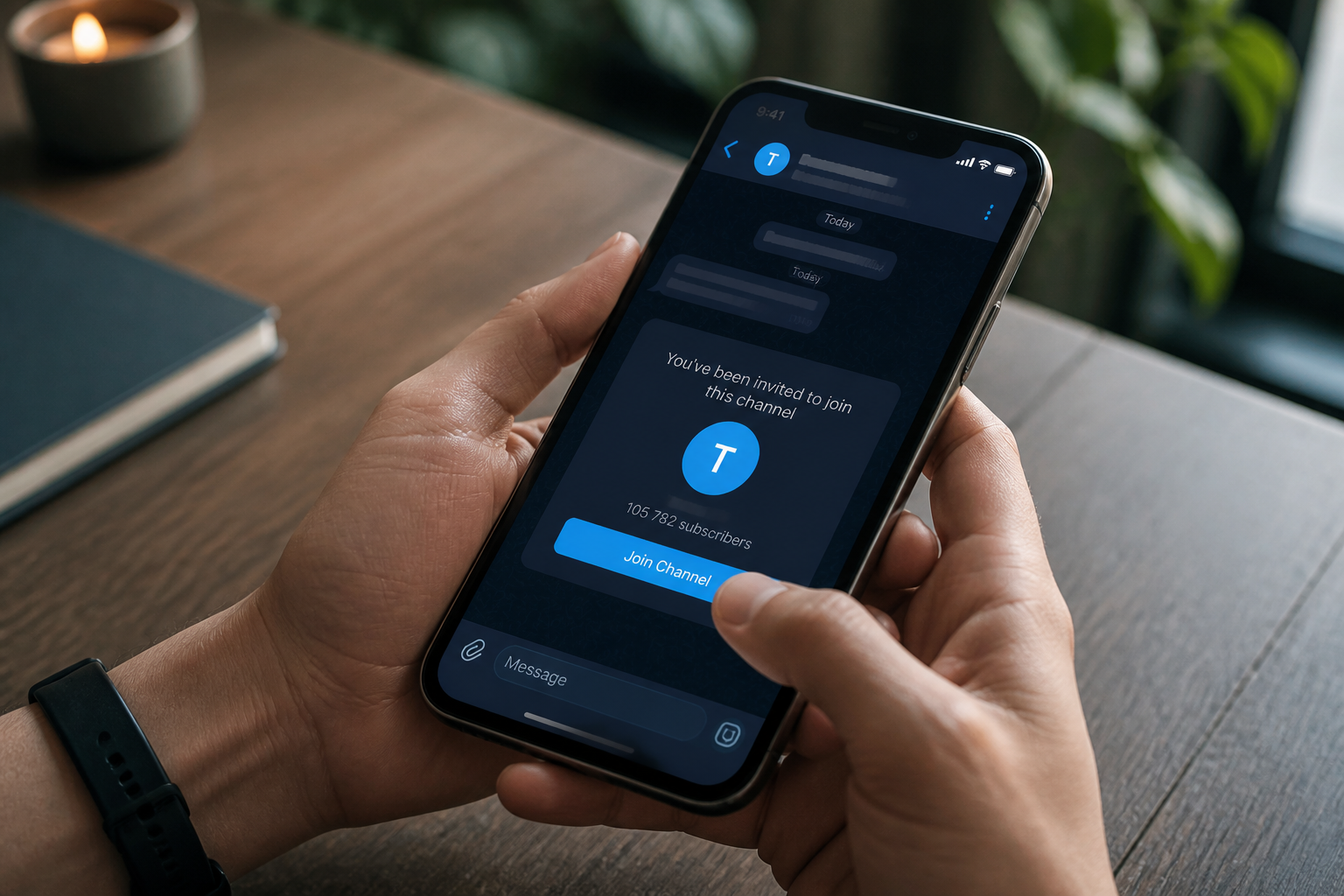
t.me/channelname, I tap it. The link opens the channel directly in my app. - Preview and join: After finding the channel, I review its recent posts. To become a member, I tap the “Join Channel” button at the bottom of the screen.
After I join, I get all new messages instantly. If I change my mind, I can leave anytime through the channel’s settings menu.
How do I join a private Telegram channel?
Private channels are exclusive and unsearchable. Their content is hidden from the public, which makes them ideal for internal team communications or private groups. Membership is by invitation only, with an administrator controlling all access.
To join a private channel, I must get an invite link from an existing member or an admin. Here are the steps:
- Get the invite link: The admin or a member gives me a unique link. It typically looks like
t.me/+AbCdeFgHiJkLmNoPqRsTuVwXyZ0. I only click links from sources I trust. - Click the link: Tapping the link opens an invitation screen in my Telegram app.
- Accept the invitation: The app shows the channel's name. I tap “Join Channel” to enter.
These invite links can expire or have a limited number of uses. If a link fails, it is likely expired or used up. In that case, I must ask the admin for a new one. Once I am in, I can see the entire message history.
How do I subscribe to a paid Telegram channel?
Creators use paid channels to sell access to exclusive content, like special courses or market analysis. I subscribe by paying a fee with Telegram Stars, the platform’s in-app virtual currency, which keeps all my payments secure.
To subscribe to a channel, I follow this process:
- Find the channel: I usually find paid channels promoted on other social media or in public Telegram channels.
- Locate the subscribe button: On the channel's preview page, I look for a “Subscribe” button.
- Review the terms: I check the subscription details. This screen shows the price in Telegram Stars, the billing period, and the content I will receive.
- Pay with Telegram Stars: I confirm the payment. If I do not have enough Stars, Telegram prompts me to buy more through my device's app store.
- Get access: After my payment is processed, I get immediate access to the channel and all its previous content.
My paid subscriptions typically auto-renew. At the start of each billing period, Telegram automatically deducts Stars from my balance. To avoid a renewal, I must cancel the subscription before the renewal date. I manage all my subscriptions in my Telegram settings under “Telegram Stars,” then “My Subscriptions.”
What are the main distinctions between Telegram channel types?
Understanding the differences between public, private, and paid channels helps me manage my memberships. Each has unique access rules and costs.
| Channel Type | Access Method | Visibility | Cost to Join |
|---|---|---|---|
| Public | Search or direct link | Searchable by anyone | Free |
| Private | Invitation link only | Not searchable, content hidden | Free |
| Paid | Subscription via Telegram Stars | Promoted publicly, content is paid | Varies |
What should I consider after joining a Telegram channel?
Once I join a channel, I take a few steps to manage notifications and data usage.
- Notifications: Active channels can be noisy. I often mute them or set custom notifications to avoid constant alerts.
- Content Relevance: I periodically review if a channel is still useful. If not, I leave to reduce clutter.
- Paid Subscriptions: I check my Telegram Stars balance to ensure I have enough for renewals to prevent a lapse in access.
- Subscription Management: I regularly review my active subscriptions in my settings. This lets me see renewal dates and cancel those I no longer need.
- Data Usage: Channels with lots of media consume data. I set Telegram to download large files only on Wi-Fi to save my mobile data.
- Channel Rules: I read and follow a channel's rules. Admins can remove me for breaking them.
Q: How can I find new Telegram channels to join?
A: Beyond search, I use directory websites that catalog channels by category. I also discover great channels through social media or from friends' recommendations.
Q: What if I accidentally leave a private or paid channel?
A: For a private channel, I need a new invite link from an admin to rejoin. For a paid channel, I must subscribe again and pay the subscription fee with my Telegram Stars.
Q: Can I create my own Telegram channel?
A: Yes. In my app, I just tap "New Message," then "New Channel." I can choose public or private, give it a name, and start inviting members.
Q: Do I lose access to past messages if I leave a channel?
A: Yes. When I leave, I can no longer see the channel's message history. To see the content again, I have to rejoin.
Q: Are Telegram Stars a universal currency in the app?
A: Yes, they are universal inside the Telegram app. I can use them for any paid service or channel. The real-world cost to buy Stars may differ based on my local app store prices.
Joining Telegram channels is how I connect with communities and get information. Knowing the rules for public, private, and paid channels helps me manage my digital life. For more insights on improving your digital communications, explore TeleSuite.